
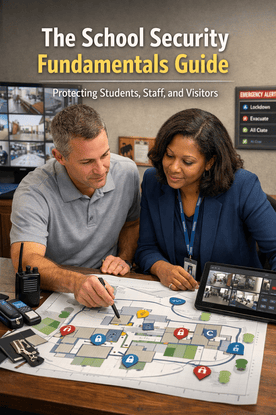
Every school wants a warm, welcoming campus that is also prepared for the unexpected. The most reliable approach is a simple framework you can put into practice without technical jargon. This guide covers the core layers of school security systems and how they work together so you can protect people, reduce confusion, and make better decisions with the tools you already have.
k
k
The five layers of a safe campus
-
Perimeter
Lighting, sightlines, gates, and exterior doors that set boundaries and guide entry. -
Entry and reception
Secure vestibules, visitor management workflows, and front office practices that verify who is on site. -
Interior zones
Classrooms, labs, gyms, and offices with clear movement routes and campus access control. -
Detection and communication
Video surveillance, sensors, and emergency alert systems that show what is happening and tell people what to do. -
People and practice
Clear roles, quick training, and simple steps that make technology useful every day.
j
j
Access control 101
Keys are hard to manage and difficult to revoke. Modern access control replaces keys with cards, fobs, or mobile credentials and lets you decide who can open which door and when.
-
Start with the main entries and front office
-
Create time based door schedules for arrival, late entry, dismissal, and events
-
Use role based permissions for staff, coaches, contractors, and programs
-
Turn on alerts for forced or propped doors with a short grace period
-
Keep audit trails for investigations and compliance
k
k
Visitor management that builds trust
A friendly welcome can still be secure. The goal is to know who is on campus and why, without creating a bottleneck.
-
Pre register guests for large events and busy days
-
Scan government ID for adult visitors and volunteers where policy allows
-
Print badges with name, role, and expiry so privileges are clear
-
Route visitors by the shortest path to their destination and away from classrooms
-
Keep a simple digital log of arrivals and departures
k
k
Emergency alerts that staff will actually use
In a tense moment, simple beats complex. Staff should be able to trigger an alert from a phone, a wearable, or a desktop with two taps and no codes.
-
Use plain language templates such as Lockdown, Shelter, Evacuate, All Clear
-
Route alerts by zone so the right people get the right message
-
Include parents in non sensitive notifications for closures and delays
-
Test routing quarterly and record who received and acknowledged the alert
-
Connect alerts to door actions where policy allows so response starts immediately
k
k
Video surveillance without overreach
Cameras are most useful where risk and traffic are highest. Aim for clarity, not quantity.
-
Prioritize exterior entries, reception, stairwells, and parking approaches
-
Use wider views for lobbies and focused views for doors and cash handling points
-
Enable low light profiles for evening events and winter afternoons
-
Set retention based on policy and storage, then stick to it
-
Share clips with first responders when needed using a secure link
k
k
Make the tools work together
Disconnected tools slow down response. Integration turns separate systems into a single safety picture.
-
Show door states, live cameras, and active alerts on one dashboard
-
When a panic alert triggers, lock exterior doors and open priority camera tiles
-
When a door is forced, bookmark video and notify reception or security
-
Tie visitor check in to a time limited credential for the route they need
-
Track device health so you know what needs attention before an incident
k
k
What SSP provides and supports
SSP partners with schools to design, integrate, and support security solutions that are practical, scalable, and easy to use. Below is a clear overview with short, real world use cases.
Campus access control
What SSP does
-
Designs role based access rules for staff, students, coaches, vendors, and after school programs
-
Installs and maintains controllers, readers, and door hardware with an emphasis on reuse where possible
-
Configures time based door schedules for arrival, dismissal, late entry, events, and rentals
-
Sets up alerts for forced and propped doors with reporting that identifies hotspots
Use cases
-
Late arrival door opens for the front office schedule only, while academic corridors remain locked
-
A lost phone is reported and the mobile credential is revoked within minutes, with a new one issued remotely
k
k
Visitor management and secure vestibules
What SSP does
-
Deploys visitor management platforms with ID scan, watchlist checks, and photo badges
-
Designs secure vestibule workflows that route guests directly to the right office or venue
-
Connects visitor check in to time limited access for approved routes
-
Trains front office teams to keep lines moving while capturing clean records
Use cases
-
A volunteer scans an ID, receives a role badge, and is guided by signage to the library without crossing classrooms
-
A vendor badge expires at the scheduled time so doors no longer open after the work window
k
k
Emergency alert systems and mass notification
What SSP does
-
Implements mobile, desktop, and wearable panic options with plain language templates
-
Configures zone based routing so the right staff, teams, and responders receive the right alert
-
Integrates alerts with access control, PA, and digital signage for immediate, coordinated response
-
Tests routing, logging, and acknowledgments with simple drill support
Use cases
-
A coach taps a mobile panic button during practice, the system alerts administrators, opens nearby camera tiles, and locks exterior doors while keeping an exit path open
-
A water leak alert routes to facilities, pauses the bell schedule, and posts directions on digital signage
k
k
Video surveillance and analytics
What SSP does
-
Designs coverage for entries, lobbies, stairwells, parking approaches, and other high value areas
-
Tunes camera profiles for low light, motion bookmarks, and smart search to speed reviews
-
Sets retention policies and secure clip sharing that align with school standards
-
Integrates camera events with access control for door prop and forced entry investigations
Use cases
-
A forced door alert automatically bookmarks the closest camera clip and emails a secure link to the front office
-
After a weekend event, an administrator reviews motion bookmarks from two corridors and resolves a missing item in minutes
k
k
Centralized security dashboards and integrations
What SSP does
-
Builds a single view that shows door states, key cameras, active alerts, and device health
-
Connects access, alerts, cameras, visitor management, and signage into coordinated actions
-
Creates quick actions for lockdown, shelter, and all clear that reduce clicks and confusion
-
Provides reports for drills, incidents, and recurring issues like door props
Use cases
-
During dismissal, one screen shows door states and camera tiles for carline so staff can respond to a propped side door
-
In a power outage, device health flags a group of cameras on backup, prompting a fast generator check
k
k
Connected vs separate systems
Separate systems
-
Staff switch between platforms to find door status, alerts, and video
-
Response slows as people call or message to confirm what is happening
-
Training is harder and turnover creates gaps
Connected systems
-
One dashboard shows doors, cameras, alerts, and device health in real time
-
Alerts can trigger door actions and camera tiles so response starts immediately
-
Staff learn one view and confidence rises
k
k
FAQ
What is the first step in improving school security
Start at the perimeter. Set door schedules for main entries, keep academic wings locked, and route all visitors through reception.
Where should a school place cameras first
Exterior entries, reception, stairwells, and parking approaches are the highest impact views for most campuses.
How often should we test emergency alerts
Quarterly, and after staff changes. Confirm who received the message and who acknowledged it.
How do we balance privacy with visibility
Limit cameras to common areas, use masking where needed, set clear retention, and control permissions by role. Communicate choices in plain language to families.
What makes a dashboard effective for school leaders
Maps with door states, a small set of priority camera tiles, a live alert panel, quick actions for lockdown and all clear, and a device health summary.
k
k
Conclusion
School security works best when it is simple, connected, and part of daily routines. Start with strong campus access control at main entries, add visitor management that keeps the welcome warm and the records clear, use emergency alert systems that staff can activate in seconds, and focus video surveillance on the views that matter most. When these tools come together on a centralized security dashboard, response gets faster, decisions get easier, and your community gains confidence.
SSP helps schools design, integrate, and support these solutions so your team can focus on teaching and student life. If you want a straightforward plan to strengthen school security systems without disruption, we can help.
Next step
Request a short security walkthrough. We will map your doors, cameras, alerts, and visitor flow, then deliver a phased action plan your team can put to work immediately.

